Make Your Business Stand Out! Create a Professional Directory Cover Image With ChatGPT
You don't need to be a graphic designer to give your local business a great-looking directory page. Here's a simple AI prompt that does the hard work for you.
It's Your Business. Let's Make It Look Amazing!
You work hard to build your business. You take care of your customers, develop your products, provide your services, and do everything you can to make a good impression.
Shouldn't your online business listing reflect that same care?
That's exactly what we're working toward with Cereal City Buzz Local, our growing business directory serving Battle Creek, Marshall, Albion, and communities throughout Calhoun County.
We're seeing local business owners step forward to claim their listings, add their information, promote their services, and take control of how their businesses appear to potential customers. And we love seeing it happen!
Our goal isn't simply to put your business name into a directory. We want to give you the tools to make your business look amazing.
Today, we're sharing one of those tools, and it's something almost anyone can use.
A Great First Impression Starts With a Great Cover Image
When someone opens your directory listing, one of the first things they notice is the large image across the top of the page. That image is your opportunity to make an immediate impression.
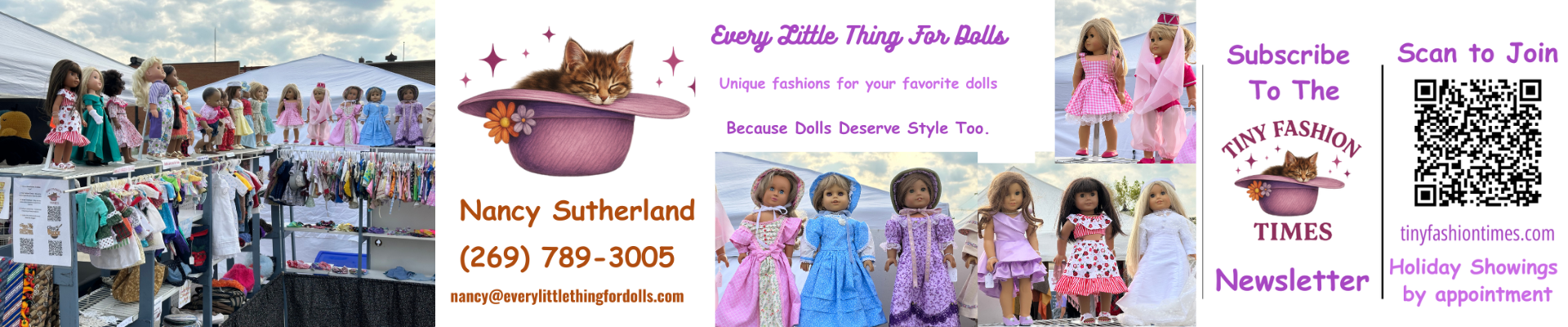
For a restaurant, it might be a beautifully prepared meal. For a contractor, it could be an impressive finished project. A candle maker might showcase handcrafted products, while a childcare provider could create a cheerful scene that communicates warmth, discovery, and fun.
The possibilities are nearly endless. But there's a catch. Not every attractive picture makes a good directory cover image.
We Discovered Something Important While Creating Covers
As we've been helping businesses improve their directory pages, we've learned that the way an image looks in a design program isn't necessarily how it will appear on the finished listing.
Our directory automatically places business information and a prominent "Visit Us" element over the cover image. Depending on the device, portions of the top and bottom of the image may also be cropped.
That means a beautiful logo can suddenly disappear behind a button. Important words can get cut off. And the very product you wanted to showcase might end up hidden.
We experienced those challenges while developing images for local businesses, so we started refining our approach. The result is a specialized ChatGPT prompt designed around the way Cereal City Buzz Local actually displays its directory covers.
Instead of asking everyone to figure it out through trial and error, we're sharing that prompt with you. And yes, you can copy it, use it, and customize it for your own business. Free.
What Makes This Prompt Different?
Most AI image prompts simply describe what the picture should look like. Ours also tells ChatGPT where important things should and shouldn't go.
We recommend a cover image measuring 1800 × 600 pixels, an extra-wide 3:1 format.
Keep your logo, business name, and important wording toward the left or right side. Leave the middle relatively clear so the directory's automatic information and buttons don't cover essential details. Keep important text away from the top and bottom edges, where cropping may occur.
These aren't guarantees that every image will display identically on every device. They're practical design guidelines we've developed from working with the directory. And they make a big difference.
See Where Your Important Information Belongs |
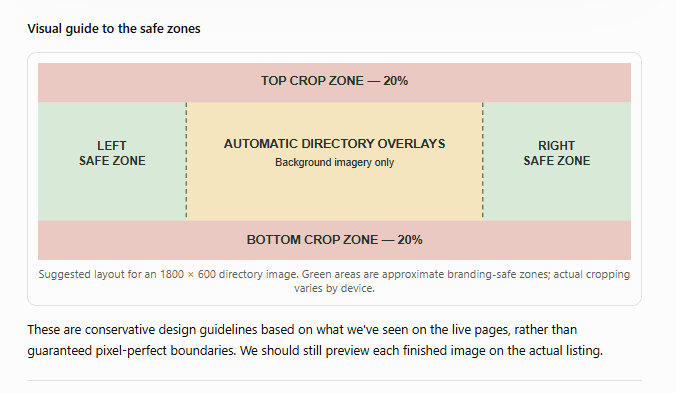 |
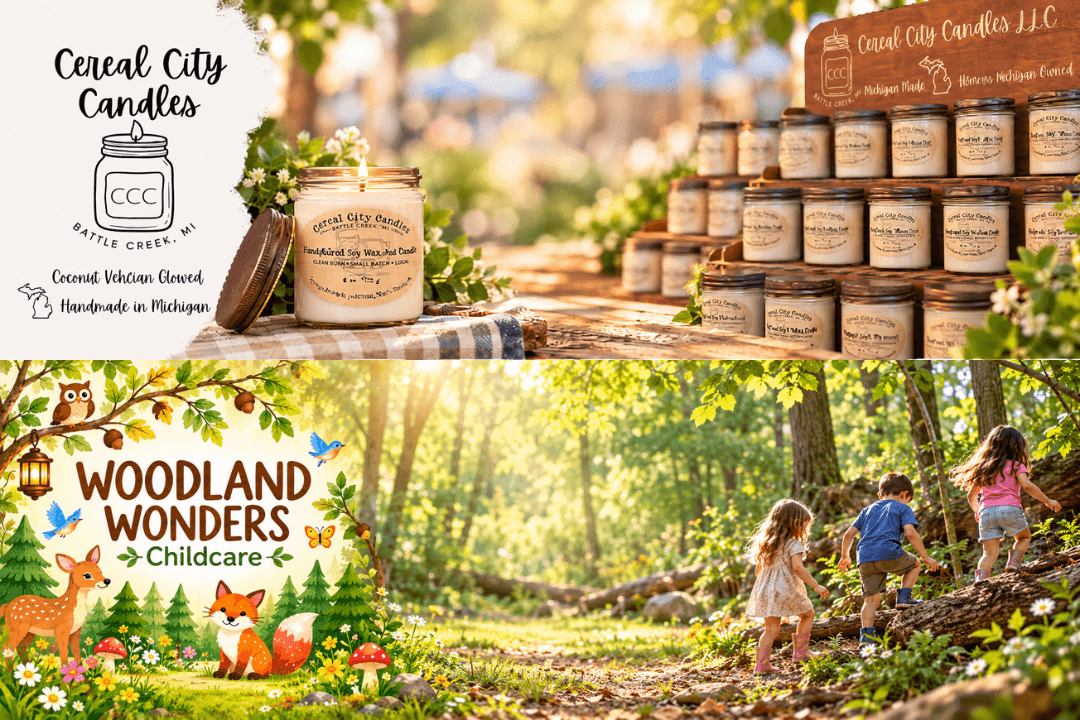
In the diagram above, the green areas show approximately where important branding can be positioned. The middle section is reserved primarily for background imagery, while the top and bottom are areas where cropping may occur. You don't have to memorize these measurements. We've already included them in the prompt below. Here's the Prompt You Can Copy and Use You don't need expensive design software or years of graphic design experience. Simply copy the prompt below into ChatGPT, replace the information in brackets with your own business details, and upload any photos or logos you want it to use. START OF COPY-AND-PASTE PROMPT Cereal City Buzz Local — Directory Cover Image Creator Recommended image size: 1800 × 600 pixels (3:1 ratio) Create a beautiful, professional, extra-wide website cover image for my business listing in the Cereal City Buzz Local Business Directory. Business Information - Business Name: [YOUR BUSINESS NAME] - Business Type: [RESTAURANT, RETAIL, CONTRACTOR, ARTISAN, ETC.] - What My Business Does: [BRIEFLY DESCRIBE YOUR BUSINESS] - Visual Style: [MODERN, RUSTIC, ELEGANT, COLORFUL, FRIENDLY, ETC.] - What I'd Like Featured: [PRODUCTS, SERVICES, STOREFRONT, LOGO, PEOPLE, ETC.] IMAGE SIZE AND FORMAT Create the image at exactly 1800 × 600 pixels, using an extra-wide 3:1 aspect ratio. This image will be used as the large cover photo at the top of my local business directory listing. IMPORTANT: FOLLOW THESE LAYOUT GUIDELINES The directory automatically displays business information and a large "Visit Us" box over the banner. The directory may also crop portions of the top and bottom of the image. Design the cover with these restrictions in mind: 1. Keep the middle 50–60% of the image horizontally free of important text, logos, faces, and essential details. Use this area for attractive background scenery, textures, workspaces, or other nonessential imagery. 2. Position important branding, business names, logos, and any promotional wording on the left or right side of the image, outside the central overlay area. 3. Leave the top 20% and bottom 20% of the banner free of critical text or logos. These areas may be cropped when the directory displays the image. 4. Keep all important wording and branding within the middle 60% of the image's height, approximately 120–480 pixels from the top of a 600-pixel image. 5. Place important text and logos in a left-middle or right-middle safe zone, approximately within the outer 20–25% of the image width, allowing a little padding from the outside edges. 6. Make sure all words are spelled correctly and the business logo remains faithful to the supplied original. 7. If photos of actual products, buildings, or people are supplied, use them as visual references. Preserve recognizable details whenever possible. 8. Use natural lighting, attractive composition, complementary colors, and professional-quality design appropriate to the business. 9. Do not unnecessarily duplicate business information already displayed by the directory. 10. Keep the image attractive and balanced even when the directory places its own text and buttons over the middle. DESIGN GOAL Produce an eye-catching, professional directory cover image that communicates what makes this business special. It should look like a professionally designed website header, not a square social media graphic or a traditional advertisement. FINAL INSTRUCTIONS Before completing the image, check that: - The image uses a 3:1 aspect ratio. - All essential wording and logos are outside the middle overlay area. - Important content is safely away from the top and bottom edges. - Business branding is readable and correctly spelled. - The image will still look attractive with the directory's automatic overlays. If your image generator cannot export exactly 1800 × 600 pixels, create the closest 3:1 image available, then resize or crop it to 1800 × 600 without cutting off important content. Create my directory cover image now. END OF COPY-AND-PASTE PROMPT How to Create Your Cover Image in Just a Few Steps If you've never used ChatGPT to create an image, don't worry. This is much easier than it might sound. First, open ChatGPT at https://chatgpt.com/ and start a conversation. Next, upload what you already have. Your business logo, photographs of your products, pictures of your storefront, or even existing promotional materials can help ChatGPT understand your business. Now copy the prompt above. Replace the bracketed sections with your business information. Tell ChatGPT what you'd like customers to see and what kind of atmosphere you want to create. Ask it to create your image. You can start with something simple and make improvements as you go. Review the result carefully. Make sure your business name is spelled correctly, your logo looks right, and your products or services are represented accurately. And here's something important: Your first image doesn't have to be your final image. You can tell ChatGPT things like: "Move my logo farther to the left." "Make the background warmer and more inviting." "Use the colors from my original logo." "Keep the middle of the picture clear." "Move the lettering higher so it doesn't get cropped." That's part of the fun. You're directing the design, even if you've never designed anything before. When you're happy with the image, save it, make sure it's properly sized, and upload it to your directory listing. Finally, preview the page on your computer and phone. If anything important is covered or cropped, adjust the image and try again. Take a Look at What Local Businesses Can Create The examples at the beginning of this article show two very different approaches. Cereal City Candles uses its recognizable branding alongside an inviting presentation of handcrafted candles. The result communicates the warmth and personality of the business. Woodland Wonders Childcare takes a completely different approach, pairing playful woodland-inspired branding with a cheerful outdoor setting. One is warm and product-focused. The other is colorful and family-friendly. Both demonstrate the same idea: Your directory cover should reflect your business, not look like everyone else's. And this approach can work for just about any local business, from food trucks and salons to landscapers, retailers, artisans, churches, and community organizations. Your Directory Page Belongs to You One of the things we're most excited about with Cereal City Buzz Local is watching business owners take an active role in presenting their businesses. Your listing isn't something you have to wait for us to update every time you want to make a change. It's a place where you can share your business information, improve your presentation, and help potential customers discover what you offer. A great cover image is just one part of that. Accurate contact information, a clear description, helpful photographs, and links to your business all work together to make your listing more useful. And as our directory grows, we want the businesses throughout Battle Creek and Calhoun County to look their very best. Don't Have a Listing Yet? Come Join Us! If you've already claimed your business listing, this is a perfect opportunity to give it a fresh look. And if your business isn't in Cereal City Buzz Local yet, we'd love to have you join us. Basic business listings are free. You can search for your business, claim an existing listing, or create one if it isn't already there. [EDITOR: Insert verified Cereal City Buzz Local directory invitation link here.] We're building this directory to help our local businesses get found, build trust, connect with customers, and grow. And we're doing it one business at a time. Frequently Asked Questions What size image should I use for my Cereal City Buzz Local directory cover? We recommend an image measuring 1800 × 600 pixels, with a 3:1 aspect ratio. Keep important wording and logos away from the center and from the top and bottom edges. Can ChatGPT create a professional cover image for my business listing? Yes. You can provide your business name, description, logo, photographs, and preferred style. The prompt in this article gives ChatGPT specific layout instructions designed for Cereal City Buzz Local. Always review the final image for accuracy. Why shouldn't I put my business name or logo in the middle of the image? The directory automatically displays business information and a "Visit Us" element over the center of the cover. Keeping important branding toward the sides helps prevent it from being hidden. Let's Make Our Local Businesses Shine! There's something special about seeing local businesses put their best foot forward. Whether you're opening your first shop, running a family business that's been around for decades, or building something new from your kitchen table, your business deserves to be presented with care. We're here to provide tools, encouragement, and a little practical know-how to help make that happen. So give the prompt a try. Experiment with your pictures. Make something that reflects the pride you put into your work. It's your business. It's your page. Let's make it look amazing! Cereal City Buzz Local is part of the Cereal City Buzz community, helping businesses throughout Battle Creek, Marshall, Albion, and Calhoun County get found and stay connected. |
Stay up to date with our local news!
Get articles like this delivered to your inbox.
Subscribe Now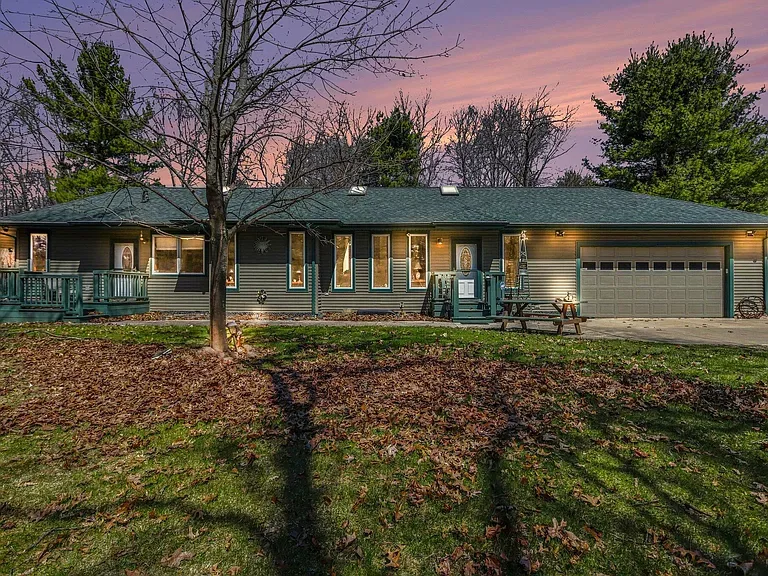
Oct 20, 2026
7.37 Wooded Acres and a Remarkably Built Ranch on River Road
This week's Featured Home combines a secluded setting, distinctive construction and a new $399,900 asking price in the Harper Creek area.

Oct 20, 2026
Battle Creek Youth Choir Opens Registration
Community Music School welcomes middle and high school singers to a six-week program culminating in a December holiday performance.
Oct 20, 2026
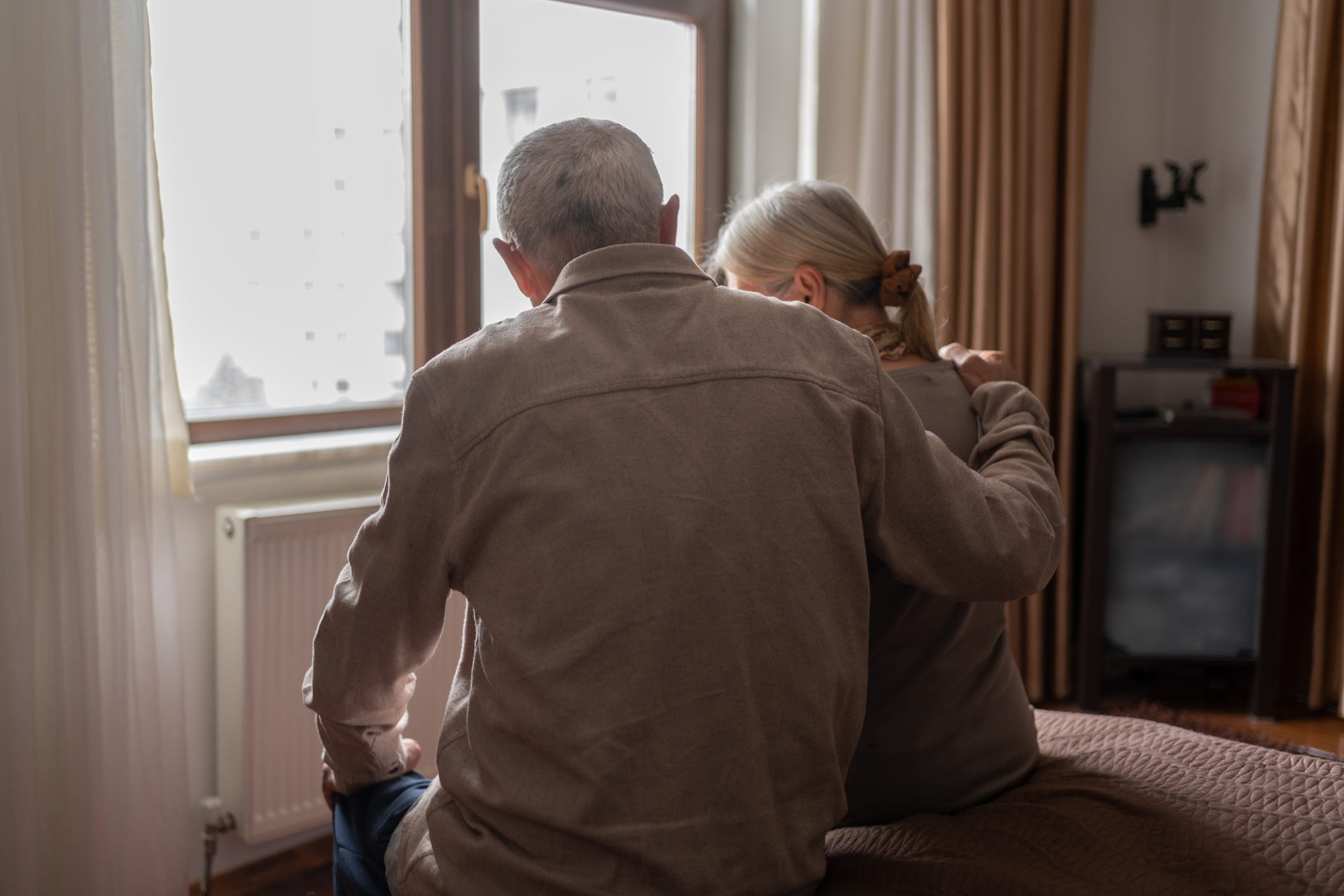
Calhoun County Senior Services Grant Deadline Extended
Three funding opportunities support older adults, caregivers and Community Health Worker training. The stated deadline conflicts across County sources.

Oct 20, 2026
KCC Announces Summer 2026 Academic Honors
More than 350 students earned President’s List or Dean’s List recognition. The names are grouped by hometown, including Battle Creek, Albion, Marshall and Springfield.
0 Comments
Join the conversation
Be the first to comment
Share your thoughts above.